
About Derosity
A studio on the device already in your hands. Sketch and paint with brushes, build a piece in layers, and style lettering with outlines, gradients, and fills. Design tools like shapes, grid guides, symmetry, and stamp brushes sit alongside everyday workflow — undo and redo, an eyedropper, image import, export, and share. Change the interface color to a look that suits you, and record a timelapse while you work.
Create anywhere
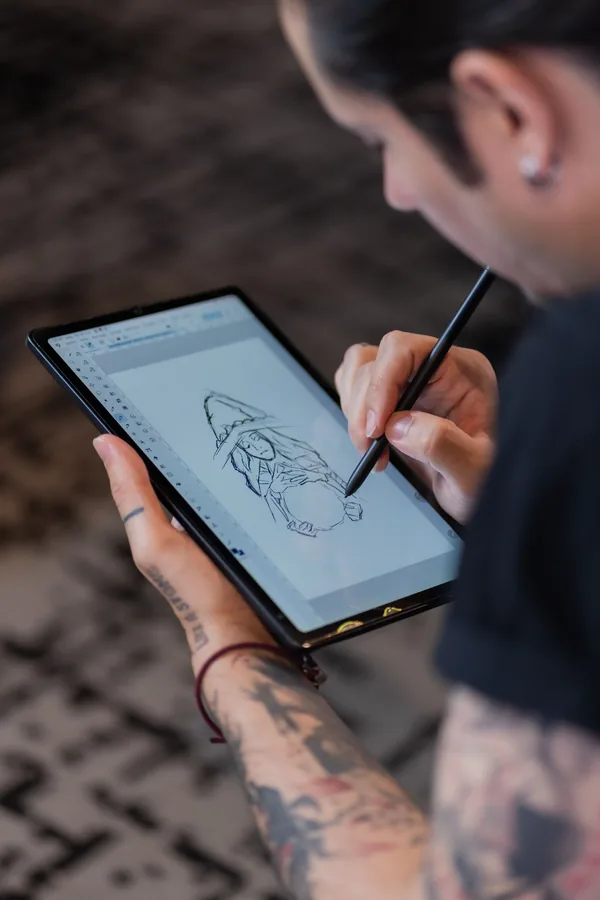
A tablet and a comfortable seat are enough — on the couch, by a window, or any quiet corner you like.

Everything you need to create
Tools from the Derosity studio, grouped the way you reach for them.
Draw & Paint
Brush, eraser, and smudge for sketching and painting. Pick color, lay down gradients, and add texture. A stamp brush library is part of the same toolbox.
Lettering & Text
Add type on the canvas and style it with text effects. A font picker is included, and Inter is among the available fonts.
Design tools
Move and select, draw shapes and lines, and work with vectors. Line your work up with grid guides, and use Mirror for symmetry. Puppet, effects, and texture tools are there when a piece needs them.
Workflow
Brush size and opacity sliders, undo and redo, and an eyedropper. Work in layers. Import an image, save, download or export, and share or publish. Browse your gallery, zoom, and open settings.
Lettering & text
Lettering with real presence
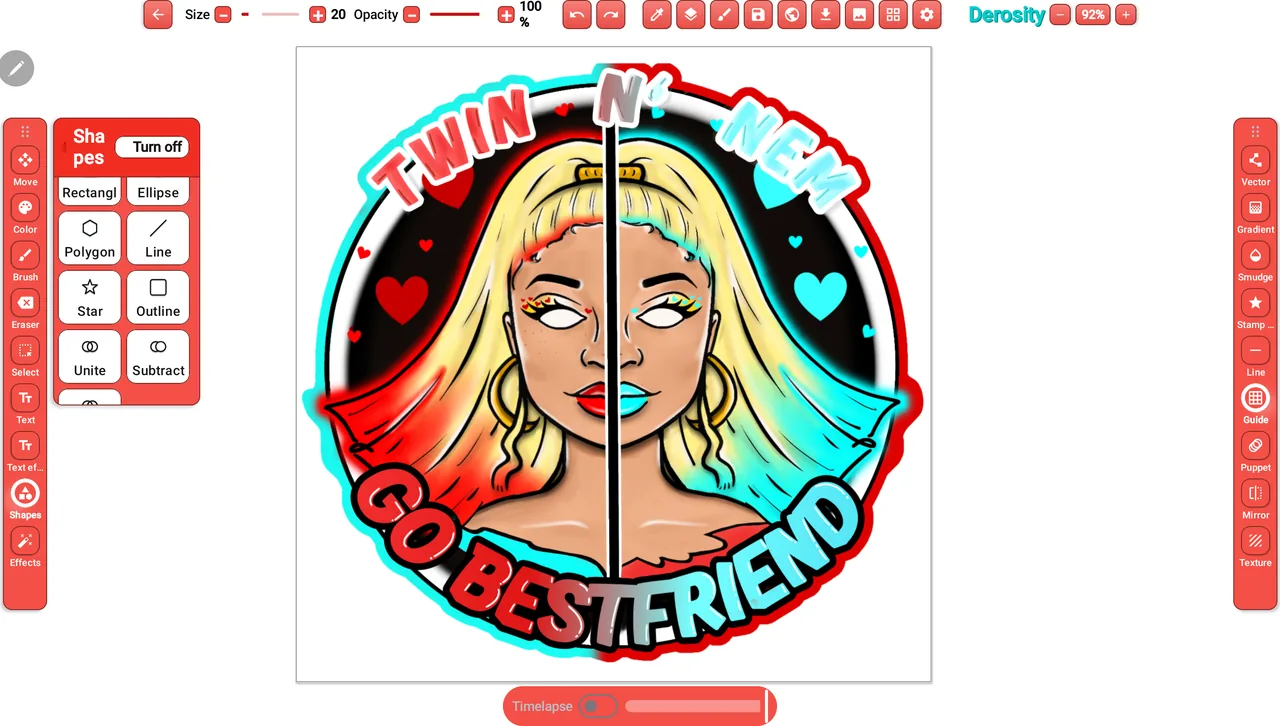
Style type with text effects: 3D and outlined lettering, an outline and a second outline, gradient fills, and image or texture fills inside letters. Pick a font from the font picker — including Inter — and build stickers, logos, and headlines that hold their own.
Draw & paint
Paint the scene
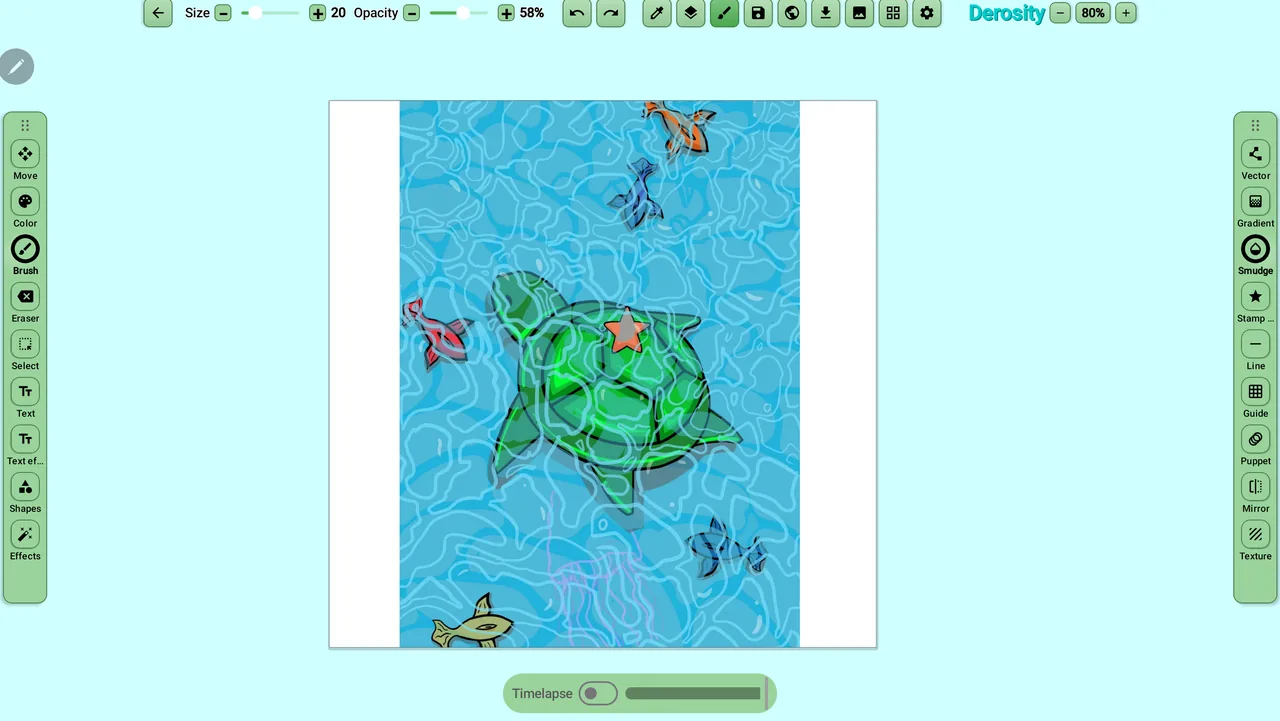
Work a painting up in layers, adjusting size and opacity as you go. Try an idea, shift a color, or hide a layer without starting over.
A library of stamps
Stamp brushes are organized by category, so you can reach for the mark you want. Favorite the ones you use often, and save, import, duplicate, or add shadow as you work.
- Plants
- Insects
- Animal
- Flowers
- Food
- Beauty
- Household
- Art
- Symbol
- Nature
- Chains
- Sewing
Record a timelapse
A timelapse toggle sits at the bottom of the studio. Turn it on to record your process while you draw and paint.
Connect with other artists
Your artwork stays private unless you choose to post it to the Community room, where other Derosity users can see it.
Message box
The Message box is your inbox inside the Community. Message an artist about a piece, keep a short text chat, and ask to draw on their artwork — they can allow, decline, or take permission back. An unread count appears on the Message button. Messages are text only: links, emails, and phone numbers are blocked, and a parent can turn messaging off.
Community room
The Community room is where you can share artwork for other Derosity users to see. Browse New and Popular feeds, like a piece, and report or block if something isn’t right. Moderators review reports. You can take down a post; the copy on your device is kept. A parent can turn Community off on the device.
Make it yours
The interface uses colorful, customizable themes, including red, green, yellow, black, and purple. The lettering and painting shots above show a red look and a green look.
- Red
- Green
- Yellow
- Black
- Purple

Made for
The kinds of work Derosity is built to support.

Lettering & logos
- Sticker art
- Illustration
- Flyers & ads

Create together
Share a tablet with family and friends, or settle in on your own. Derosity is a place to draw and paint at any skill level — from a first sketch to a finished piece.
Pricing
Derosity is $14.99 to download on Google Play. That purchase includes the Standard tools. Optional Pro plans add more tools and a higher layer cap:
Standard
$14.99
one-time app purchase
- Core drawing tools
- CMYK + RGB
- Community Canvas and drawing together
- Curve and Curvature line tools
- Standard layer cap of 100 per canvas, subject to canvas size and device memory
Pro — monthly
$10
per month
- Everything in Standard
- Pro tools: Text effects, Gradient, Vector & Puppet
- Higher layer cap of 200, still subject to canvas size and device memory
- Stays unlocked while the subscription is active
- Paid Pro works on one signed-in device at a time
Pro — yearly
$90
per year (you save $30 vs paying monthly)
- The same Pro tools and layer cap as the monthly plan
- Keeps Pro unlocked while the subscription is active
- Paid Pro works on one signed-in device at a time
2-hour pass
$5
unlocks Pro for a single sitting
- The same Pro tools and layer cap for two hours
- Used up when the two hours end
- You can buy another pass any time
Layer limits also vary with canvas size: canvases under 12 inches on a side can allow up to 200 layers, canvases 12 inches and up allow up to 100, and canvases 23.5 inches (2 ft) and up allow 50. Standard is still capped at 100 layers; Pro raises the cap to 200, still subject to those size limits. Devices with less memory may allow fewer layers on every plan. On Android, purchases are handled securely by Google Play.
Platforms
- Android phones and tablets — available now on Google Play.
- Windows — coming to the Microsoft Store.
Languages
Derosity is translated into:
- English
- Spanish
- Arabic
- Chinese
- Hindi
- French
- Portuguese
- Italian
- German
- Japanese
- Hausa
Download
Need help? See Support. How we handle information is in the Privacy Policy.